Proactive work intelligence for Windows
Your files changed. Sclerite noticed.
Your computer. Finally paying attention. Sclerite watches the project folders you choose, explains what matters, and shows the source behind every important answer.
Sclerite 1.0.3 for Windows · $19/month or $149/year after trial · Start 14-day free trial · Cancel anytime

Sclerite Workspace
Today
Sclerite
Good afternoon.
A calm briefing from the folders you chose.
Needs attention
Johnson Contract — payment terms changed
The latest revision moved from 15-day to 30-day terms. Worth a quick review before it's countersigned.
Worth reviewing
Two current Johnson totals disagree
Proposal: $26,950 · Estimate: $28,450
Ask Sclerite
Ask for clarity, context, and next steps grounded in your authorized work.
- 01Notice the change
- 02Understand the impact
- 03Verify the source
- 04Take the next step
A useful catch, not another notification
See the change. Understand why it matters.
Sclerite turns a buried document revision into a clear, source-backed heads-up.
Sclerite found this
Demonstration using sample project files
Payment terms changed
This revision may delay payment by 15 days.
The previous contract said Net 15. The signed revision says Net 30.
Evidence
Johnson Contract Revision.pdf
“Invoices are payable within thirty (30) calendar days of receipt.”
Sclerite shows the source so the customer can verify the finding before acting.
Watch Sclerite work
The answer arrives with receipts.
Ask in plain language. Sclerite answers from your authorized files and keeps the evidence one click away.
Sclerite Workspace
Watch
Quiet monitoring
Important changes find you.
Changed
Conflict
Approaching
Still open
It works before you ask
A change, deadline, or disagreement should not stay buried.
Sclerite keeps authorized files current and surfaces items worth reviewing through Today and Watch. It stays quiet when there is nothing useful to say.
- ✓ See meaningful file changes
- ✓ Find approaching dates inside documents
- ✓ Catch sources that disagree
- ✓ Open the original evidence immediately
For document-heavy work
Built for people whose projects live in files.
Contractors
Sclerite watches the project folders you choose and brings revised scope, changed terms, and approaching dates to you with the original source attached.
See the workflow →Estimators
Sclerite watches the bid folders you choose and helps expose revised sheets, changed addenda, moved totals, and conflicting requirements before they become an expensive miss.
See the workflow →Consultants
Sclerite helps you understand the client folders already on your PC, notice revisions between reviews, and trace important answers back to the original work.
See the workflow →Project businesses
Sclerite turns the project folders you authorize into a private view of what changed, what needs attention, and which source proves the answer.
See the workflow →Permission first
Your work stays under your control.
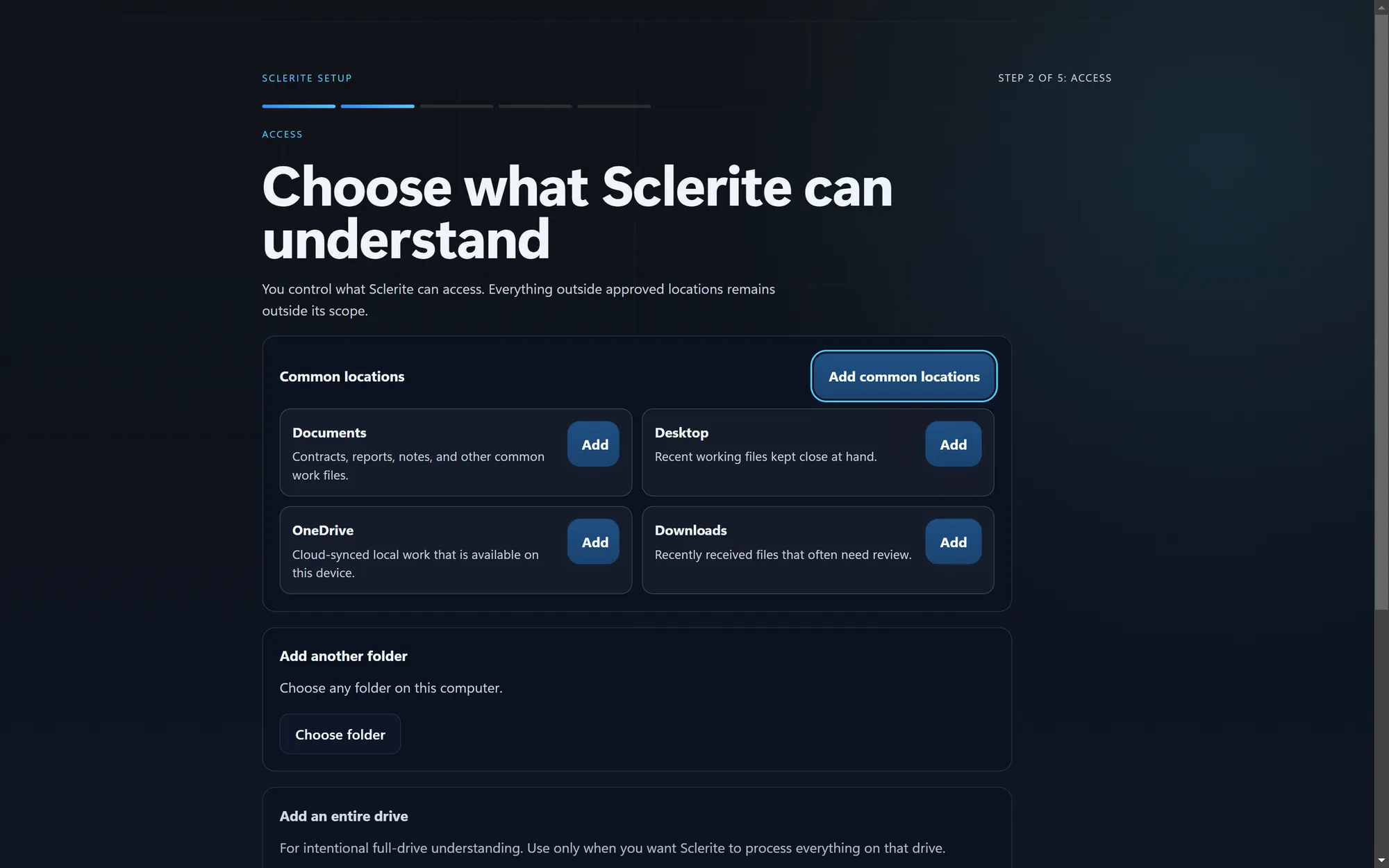
Choose the folders Sclerite may understand. Exclude or remove a source whenever you want. Important answers point back to evidence, and uncertainty is shown instead of hidden.
Questions people ask first
Clear answers before you install.
Does Sclerite upload all my files?
No. You choose the Windows folders Sclerite may use. Sclerite is designed around a local workspace and deliberate access. Some intelligence and subscription functions may use an internet connection.
Can I check an answer?
Yes. Important answers show the supporting source so you can open the original document before you act.
What happens when a file changes?
Sclerite updates its understanding of authorized files and can surface meaningful changes in Today and Watch.
Does it work with OneDrive?
Yes, with OneDrive folders available on your Windows PC. If a file is cloud-only, Windows may need to download it before Sclerite can read it.
What if Sclerite is not certain?
It is designed to show uncertainty or conflicting evidence instead of presenting a guess as a fact.
Need something specific? Talk to support.
Put your PC to work
Stop discovering the change too late.
Install Sclerite 1.0.3 for Windows and start a 14-day free trial.
Cancel anytime in the billing portal.